Communication in a chat
Emails are not a very quick, responsive way of communication. We avoid them by prioritising other channels. At ETH Zurich, we have a chat server that is used by many courses and groups. It is based on the Matrix protocol, which is an open standard for secure, decentralised communication. The chat client is called Element, providing the open source, free-of-charge Slack-like experience. It is available to you as a student and is hosted by ETH Zurich.
You can reach out to the course instructor and other students any time, and we have a way to stay in touch beyond the course itself.
Some of you are not affiliated with ETH Zurich. The steps below will be different for you. Please create an account for Element with your email address and use it to login to the application.
To set it up, please follow the steps below:
Download and install Element: https://element.io/download. It is available on Linux, Mac OS, and Windows.
Open the Element app on your device.
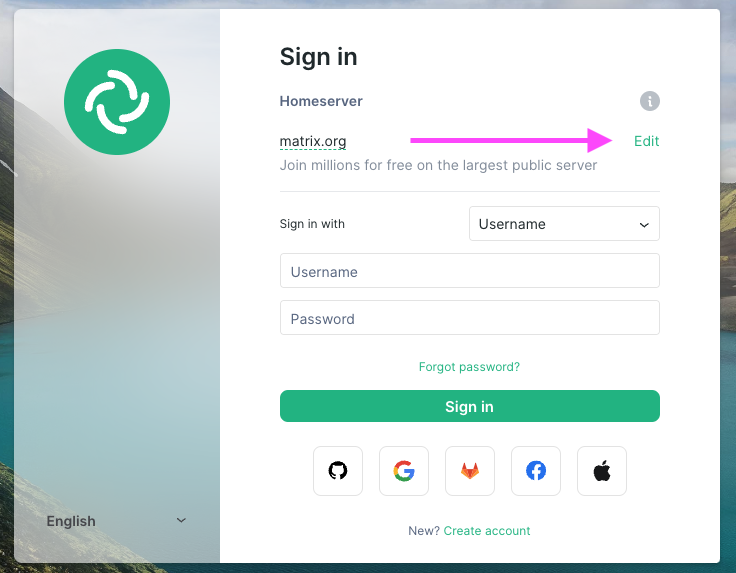
Click Sign in
In the Homeserver section, click Edit
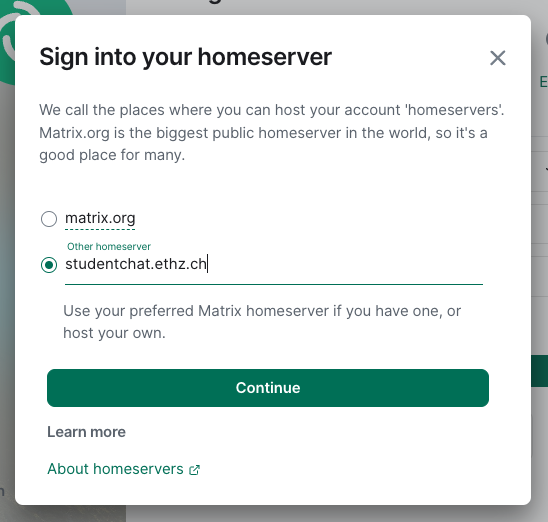
- Select Other homeserver and type studentchat.ethz.ch
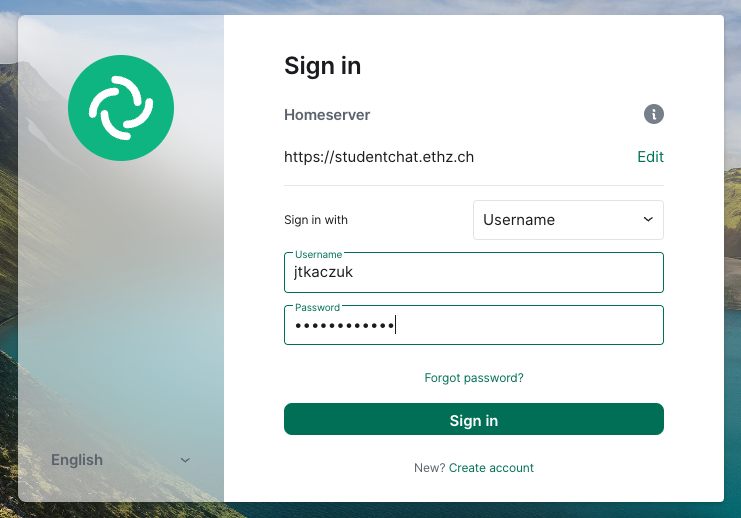
- Sign in with your ETH username and ETH password
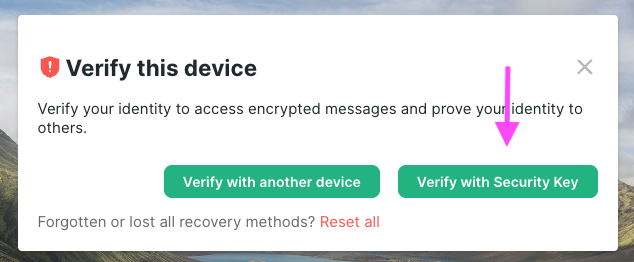
- Verify your device by creating a security key and store it securely. You will need the security key for adding another devices or logging back in on the same device.
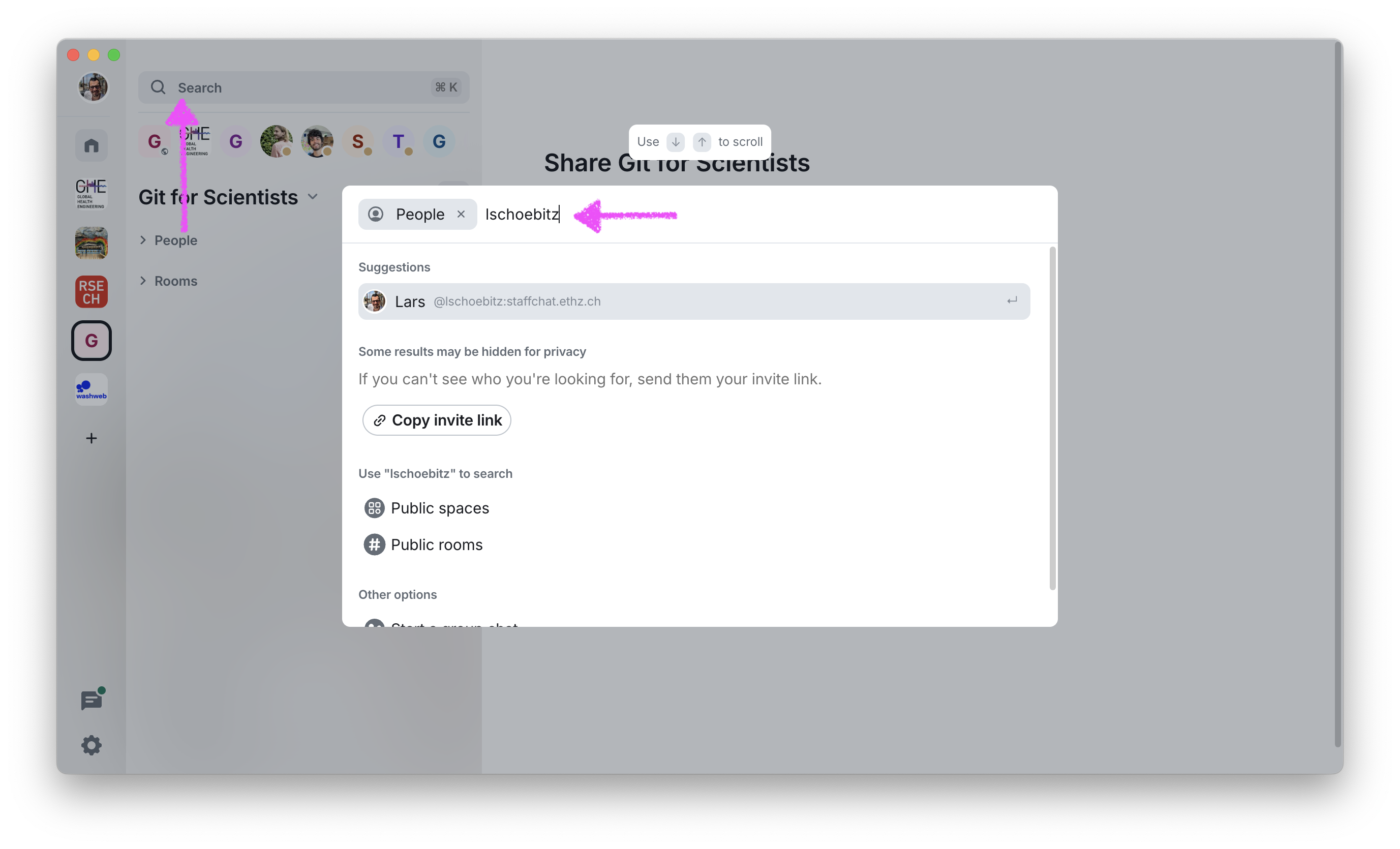
- Welcome! Get in touch with me on Element by searching my ETH username
lschoebitz.
 9. Join the space for this workshop using this link: https://matrix.to/#/#gitforsci:staffchat.ethz.ch